What is DealerSpeed Engine?
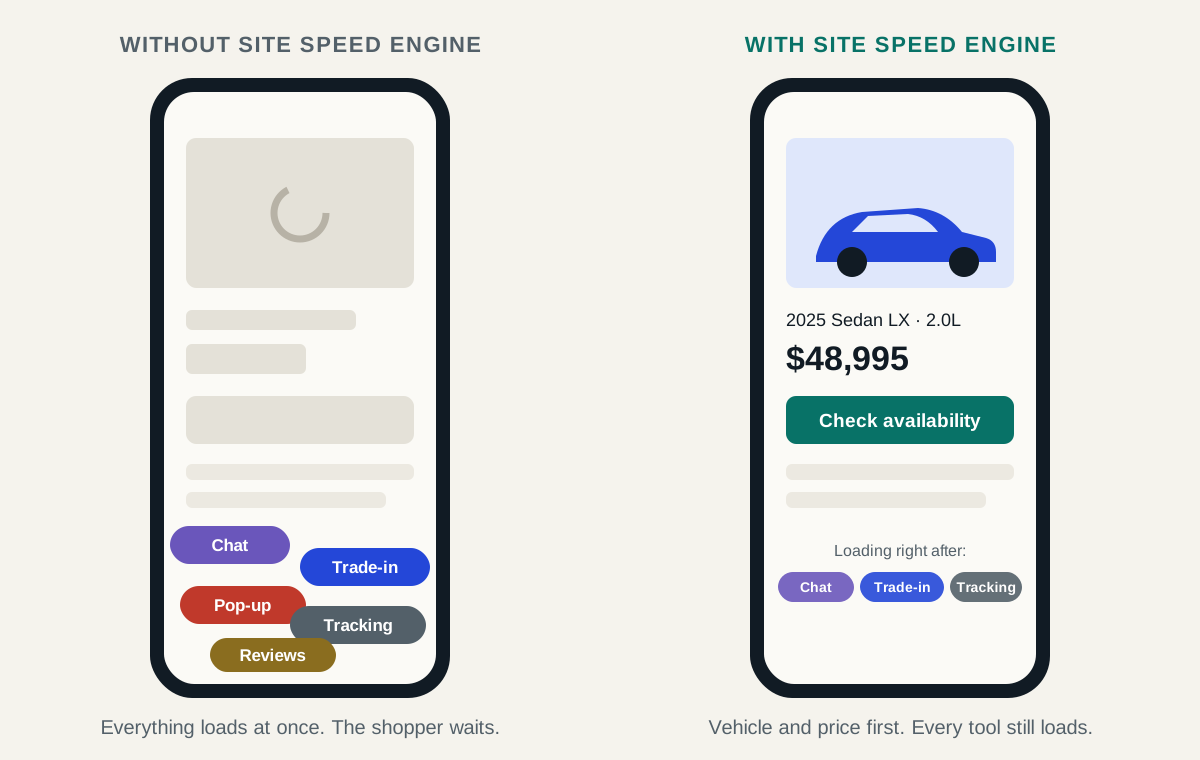
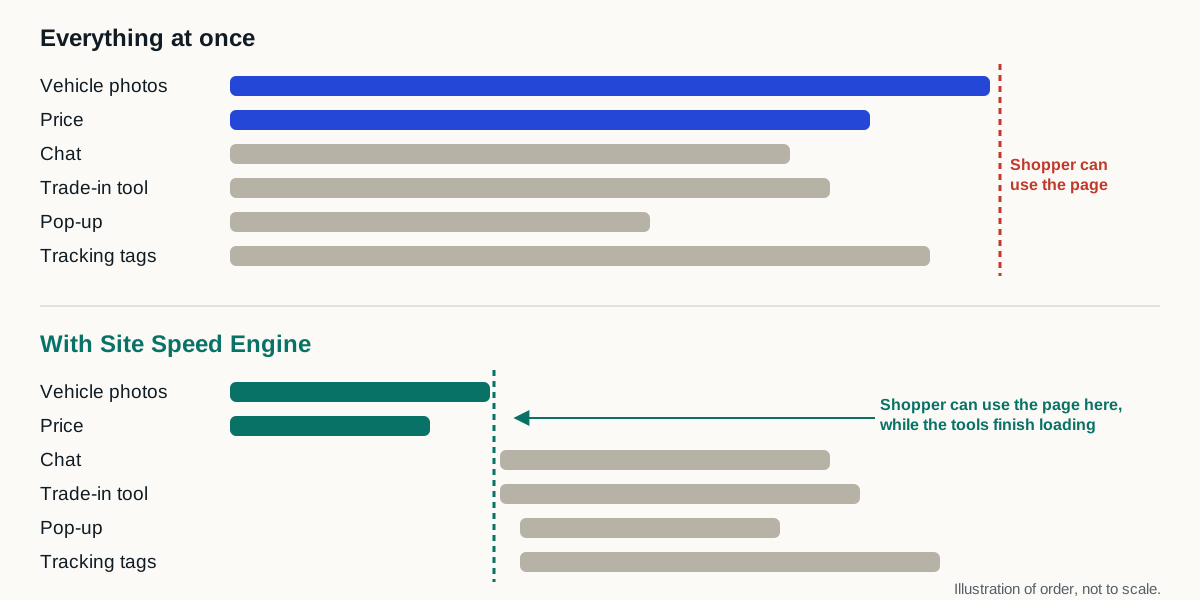
DealerSpeed Engine is a lightweight JavaScript tag installed on the dealership website already in place. The tag controls when third-party scripts run, so the inventory, pricing and lead actions a shopper came for are not left waiting behind them, and it requires no redesign, no CMS migration and no platform change.
It is not a website platform, a redesign or a replacement for any tool the dealership already uses. The design intent is that a dealership installs it once and then does not manage it: no dashboard to watch, no weekly rules to tune, no campaign calendar.
This page has two jobs. It tells you what DealerSpeed Engine is, and it gives you a checklist for evaluating any vendor in this category, including us, if you landed here searching for an alternative. A longer version of that checklist is published separately, as the questions to ask any dealer website speed vendor.
What is a dealership website speed layer?
A dealership website speed layer is software that installs on the website a dealership already operates instead of replacing it. It does not change the platform, the design, the inventory feed or the vendor relationships already in place.
The problem this category exists to address is not the website platform itself. Dealer websites accumulate inventory feeds, chat, trade-in tools, digital retailing, analytics, advertising pixels and compliance scripts. Each was added for a reason. Together they compete for the same network, processor and browser time, and shopper-facing content ends up waiting behind them.
Removing those tools is rarely realistic. The dealership needs them. Controlling when and how they load is the lower-risk change, and it is what products in this category are built to do.
What does DealerSpeed Engine offer?
- Speed improvement on the dealership website already in place
- No redesign, CMS migration or website-platform change
- Automatic operation, with no day-to-day dealership monitoring intended
- Compatibility with existing inventory, chat, trade, retailing, analytics and compliance tools
- Fails open to the original site, so the dealership is never left worse off
- Results measured on the dealership's own traffic, not on a demonstration site
- A published evidence standard that governs what may be claimed publicly
What should I ask any website speed vendor?
These apply to every product of this type, ours included. A vendor who cannot answer them clearly is asking you to take performance on faith.
- Which pages are supported: homepage only, or search results and vehicle detail pages too?
- What exactly happens if the optimization layer cannot run? Does the original site still load normally?
- If your layer is slow to respond, does my page sit there waiting for it?
- What makes you stop and hand the page back, and who notices when that happens?
- What will you agree in writing never to touch on my site, and do I decide that list?
- How is the result measured: real-user field data, laboratory tests, or both, and are they reported separately?
- Is there a concurrent control group, or only a before-and-after comparison?
- What is the rollback process, and how quickly can it be executed?
- Which third-party tools have been verified to still function correctly after installation?
- What are the complete commercial terms, including contract length and exit?
- What specifically is being claimed, and what evidence supports each claim?
How do I test my own website speed?
You do not need a vendor to tell you how your website performs. This takes about ten minutes and the results are yours, and the free speed test on this site will do the first four steps for you.
- 01
Pick real pages
Your homepage, one new-inventory search results page, one used-inventory search results page, and two vehicle detail pages. Not a demo page: the live site a shopper would land on.
- 02
Test on mobile
Run each page through PageSpeed Insights using the mobile result. The majority of dealership traffic is mobile, and mobile is what Google evaluates.
- 03
Read the field data first
If the report shows real-user data, that reflects what shoppers actually experienced. The laboratory score below it is a controlled simulation and answers a different question.
- 04
Record what is present
Note which third-party tools load on each page. This usually explains more of the variance between pages than the platform does.
- 05
Repeat before concluding
One test on one page at one moment is not a verdict. Run each page several times across different times of day before drawing a conclusion about anything, including us.
How should I evaluate this on my own website?
The useful question is not which vendor writes the strongest comparison page. It is whether a product can safely make your dealership website faster with little effort from your team, and whether the vendor can show you how they measured it.
We publish no universal load-time promise, no PageSpeed score guarantee, and no ranking, lead, conversion or revenue claim: for the straightforward reason that no product can honestly promise those on a website it has not measured.
Who publishes this page, and what is the position on other vendors?
This page is published by Auto Dealer Site Speed, which makes DealerSpeed Engine. Auto Genius is a separate company: we are not affiliated with them, not endorsed by them, and not a reseller or partner, and any information about their product should come from Auto Genius directly.
We publish no reviews, pricing, ratings, benchmarks or criticism of other companies. Plenty of vendors in this industry build their marketing on attacking competitors. We would rather explain what we do, hand you a checklist that applies to us as much as to anyone else, and let the dealership decide.
Sources and further reading
External sources support the general technical guidance on this page. They do not represent a DealerSpeed Engine performance result.