Checklist

Dealer website speed audit checklist

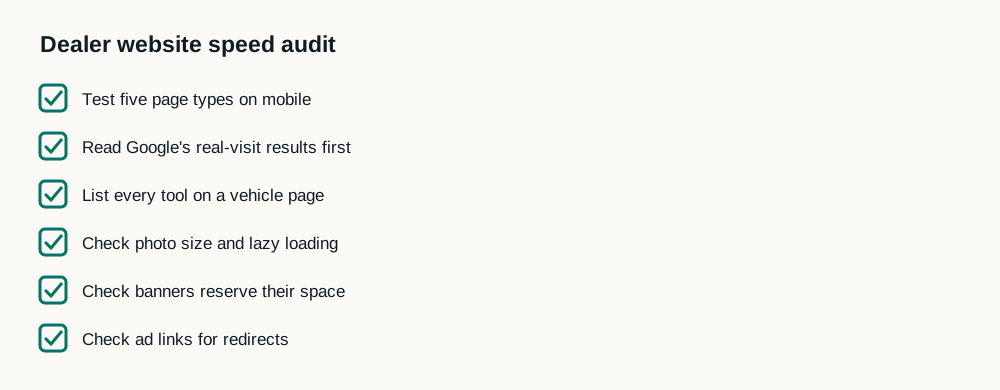
A dealer website speed audit takes six checks: test five page types on mobile, read Google's real-visit results before the score, list every tool on a vehicle page, check photo size and lazy loading, check that banners reserve their space, and check ad links for redirects. Each check points to a specific fix.

Get my free speed analysisTest my website

The checklist

What each check finds, and the fix
CheckWhat it findsFix
Five page types on mobileWhich templates are slowStart with the worst template
Real-visit results firstWhether Google sees a problemFocus on the failing measure
Every tool on a vehicle pageTools delaying the car and tapsLoad them after the vehicle
Photo size and lazy loadingHeavy or late main photosSize for phones; never lazy-load the first photo
Banners reserve spaceThe page jumpingSet height before the banner loads
Ad linksRedirect chainsPoint ads at the final address
A checklist of six items: test five page types on mobile, read Google's real-visit results first, list every tool on a vehicle page, check photo size and lazy loading, check banners reserve their space, and check ad links for redirects.

Where to start

Use how to test dealer website speed for the first two checks and third-party scripts for the tool list. Or send us the site: the free speed analysis runs these checks for you.

Sources

Questions

What is a website speed audit?

A check of how fast a site's key pages load and respond, what slows them, and what to fix first.

How long does a dealer website speed audit take?

The six checks take an hour or two for someone familiar with PageSpeed Insights. Our free analysis does them for you.

What tools do I need for a website speed audit?

PageSpeed Insights or our free speed test, a phone, and Chrome's developer tools for the tag list.