01

What LCP measures

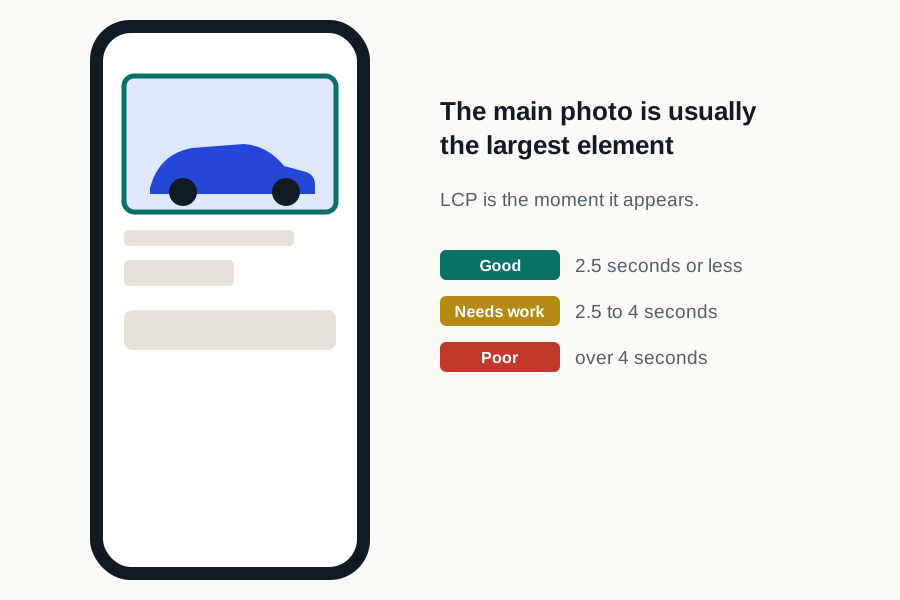
LCP reports the render time of the largest eligible image or text block visible in the viewport. The candidate may update during loading as larger content appears.

Google’s current Core Web Vitals guidance classifies an LCP of 2.5 seconds or less as good at the 75th percentile, but that threshold is a measurement definition, not a promised DealerSpeed Engine result.

The four parts of Largest Contentful Paint, and where each one usually goes wrong on a dealer site
Sub-partWhat it measuresUsual dealership cause
Time to first byteHow long the server takes to start respondingUncached page assembled per request, or a slow origin behind the CDN
Resource load delayThe gap between the response arriving and the image starting to downloadThe hero or gallery image is discovered late, because it is set in CSS or inserted by script
Resource load timeHow long the image itself takes to arriveAn oversized vehicle photograph served at full resolution to a phone
Element render delayThe gap between the image arriving and it being paintedMain-thread work from third-party tags blocking the paint
Google's Core Web Vitals thresholds at the 75th percentile: Largest Contentful Paint good at 2.5 seconds or less and poor beyond 4 seconds, Interaction to Next Paint good at 200 milliseconds or less and poor beyond 500 milliseconds, Cumulative Layout Shift good at 0.1 or less and poor beyond 0.25.
Where the 2.5-second LCP threshold sits against the other two Core Web Vitals. All three are judged at the 75th percentile of real visits.
02

Likely dealership candidates

  • Homepage promotional or inventory hero
  • SRP vehicle image or large heading region
  • VDP gallery image
  • Service or offer-page banner
03

Break down the delay

Inspect time to first byte, when the browser discovers the resource, download duration, and render delay. A hero that is visually above the fold can still be discovered late when CSS or JavaScript inserts it.

04

Avoid an isolated fix

Do not preload many competing images or damage responsive image behavior solely to change one test. Confirm that the actual shopper viewport receives a correctly sized, prioritized asset without creating extra work elsewhere.

05

Which element is your LCP?

  1. 01

    Run the page through PageSpeed Insights

    The diagnostics name the LCP element directly, with its markup. You do not have to guess.

  2. 02

    Check it is not lazy loaded

    Lazy loading the LCP element delays it by definition. This is the single most common self-inflicted LCP problem on dealership sites.

  3. 03

    Check its dimensions

    A 3000-pixel-wide photograph displayed at 800 pixels wastes most of its bytes. Serve it near the size it renders.

  4. 04

    Check what is ahead of it

    Render-blocking CSS and scripts delay the paint even when the image itself is well optimized.

06

What causes poor LCP on a dealership site?

  • Vehicle gallery images loaded at full resolution on page load instead of on gallery open
  • Hero banners served at desktop dimensions to mobile devices
  • Inventory feeds that must resolve before the first vehicle photo can render
  • Personalization scripts that hold the hero region until they decide what to show
  • Font loading strategies that delay text paint when text is the largest element
07

Which element does the browser pick as LCP on a dealer page?

On a homepage it is normally the hero image or the promotional banner, which is why how vehicle photography is delivered usually decides this metric. On a search-results page it is usually the first vehicle photograph, or occasionally a heading if the images are lazy-loaded aggressively enough that none qualifies. On a vehicle detail page it is almost always the primary vehicle image.

That matters because the fix differs completely depending on which it is. A text LCP is a font and render-blocking problem. An image LCP is a discovery, size and priority problem: how early the browser learns the image exists, how many bytes it has to fetch, and what else is competing for the connection when it does.

The most common single cause on a dealership site is an image that is technically above the fold but is discovered late, because it is inserted by a script instead of present in the initial HTML. The browser cannot prioritize a resource it does not know about yet, and no amount of compression fixes a discovery problem.

08

What should a dealership check first?

Do not preload half the gallery to move one number. Preloading many competing images shifts the bottleneck instead of removing it, and it can make the real-user result worse while improving a single laboratory run, which is exactly the trade the difference between lab and field data exists to expose.

  • Whether the LCP image is in the initial HTML or inserted by JavaScript
  • The delivered file size against the size it is actually displayed at, on a phone
  • Whether the gallery loads every photograph up front or only the first
  • Time to first byte, which caps every other improvement available
  • Whether a promotional overlay or consent banner is delaying the main image
  • Whether the element the browser chose is the element you assumed

Sources and further reading

External sources support the general technical guidance on this page. They do not represent a DealerSpeed Engine performance result.