This guide is part of the dealer website speed resource library.
Why does speed matter on a paid social click?
Because the spend already happened. A Meta or Instagram campaign is billed on impressions and clicks the same way paid search is, and by the time a shopper's thumb lands on the ad, the dealership has already paid for that attention. What happens next, whether the landing page is usable in the first few seconds or still assembling itself, determines whether that spend produced a shopper or nothing at all.
Paid social traffic also arrives in a specific mental mode that paid search does not: it interrupted something else. A shopper scrolling a feed did not go looking for a dealership the way a Google searcher did, so the tolerance for a slow, confusing arrival is lower, not higher.
What does Meta say about landing page quality?
Meta's Ad Relevance Diagnostics break an ad's perceived quality into three rankings, and landing page experience is one of the signals behind Quality Ranking specifically. Meta does not publish a formula converting a page-load number into a ranking tier, and no page on this site will invent one on Meta's behalf.
Some things can be said without a formula. Meta evaluates the destination an ad points to, not only the ad creative itself, and a Below Average Quality Ranking is something a dealership can receive because of the page the campaign sends shoppers to.
Why the in-app browser matters
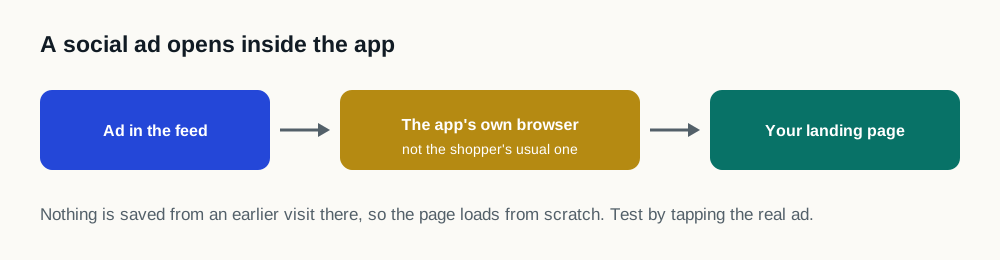
Most paid social clicks open inside the platform's own in-app browser instead of the shopper's regular mobile browser: Facebook's, Instagram's or Messenger's own webview. A dealership cannot configure that browser, cannot install a service worker inside it, and cannot assume it caches or preloads the way a regular mobile browser does.
That makes the landing page's own loading order the only lever a dealership actually controls for this traffic. A page that depends on a return visit, a cached asset, or a browser feature the in-app webview does not support will behave differently for social traffic than it does in every other test a dealership runs.
Which pages should a dealership check first?
| Step | What to do |
|---|---|
| Pull the actual creative destinations | From the ads manager, not from memory: campaigns often point at a specials page or a specific VDP instead of the homepage. |
| Test inside the platform where possible | A regular mobile browser test does not reproduce the in-app webview a social click actually opens in. Open the ad itself on a phone and watch what happens. |
| Note what loads before the offer does | Consent banners, chat widgets and personalization scripts often load ahead of the vehicle or offer the ad promised, which is the opposite of what a paid, interrupted visitor needs first. |
| Check the lead or click-to-call path | A social visitor who wants to act should not need to wait through the rest of the page to find the way to do it. |
What this does not claim
No number on this page states what a speed change is worth for a specific dealership's Meta account: that would require measuring the account under the published methodology, and this site publishes no figure until a study clears that standard. What Meta's own documentation says is enough on its own: landing page experience is a named signal in its ad quality system, the click that arrives there was already paid for, and testing the actual destination page costs nothing.
Sources and further reading
External sources support the general technical guidance on this page. They do not represent a DealerSpeed Engine performance result.