Dealer tools

Digital retailing tools and dealer website speed

Digital retailing tools let shoppers build a payment, value a trade and apply for credit on the dealer's site. They are some of the largest pieces of code on a vehicle page, and they usually start as soon as the page opens. Keep them: they create deals. Let them load right after the vehicle and price, which is when shoppers use them.

Get my free speed analysisTest my website

What a retailing tool adds to a vehicle page

Each pulls data from the vendor's servers as the page loads, so a vehicle page can wait on the retailing vendor before the shopper sees the car.

  • A payment calculator with lender rates and incentives.
  • A deal builder that steps through trade, finance and add-ons.
  • A credit application and, often, identity checks.

Keep the deal flow, move the load

Show the price and a clear "Build your deal" button right away, and load the full tool right after. Test the full flow on a phone after any change, through to the credit application. Site Speed Engine keeps the lead forms loading first and the retailing tool right behind the vehicle.
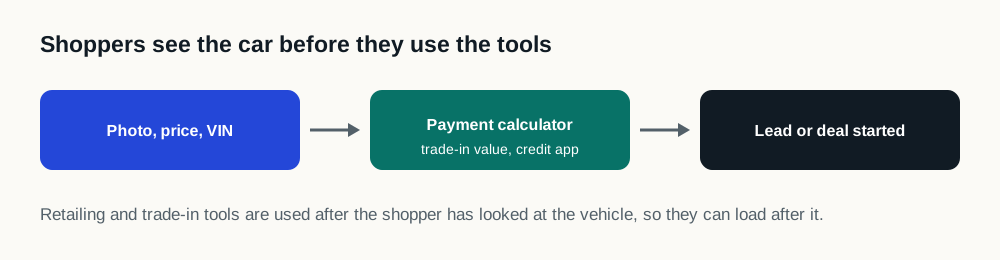
Three steps: the shopper sees the photo, price and VIN, then uses the payment calculator, trade-in value or credit application, then starts a lead or a deal.
Retailing happens after the shopper has seen the car.

How to measure a retailing tool's cost

If the retailing vendor also provides a trade-in or chat tool, count those separately: one vendor can load several pieces of code.

  • In the free speed test's list of outside code, find the retailing vendor and note how long it held the page.
  • Tap the payment button on a phone and note how long the calculator takes to respond; that is Interaction to Next Paint in practice.
  • Check the credit application submits and reaches your CRM after any change.

Sources

Questions

What are digital retailing tools for car dealers?

Online tools that let shoppers work out a payment, value a trade, choose add-ons and apply for credit on the dealership's website.

Do digital retailing tools slow down vehicle pages?

Often, because they load a lot of code and data as the page opens. Loading them right after the vehicle and price fixes the wait without removing them.

Should the payment calculator load before the photo?

No. Show the price first; the calculator is used after the shopper has seen the car.