This guide is part of the dealer website speed resource library.
A tag can load more tags
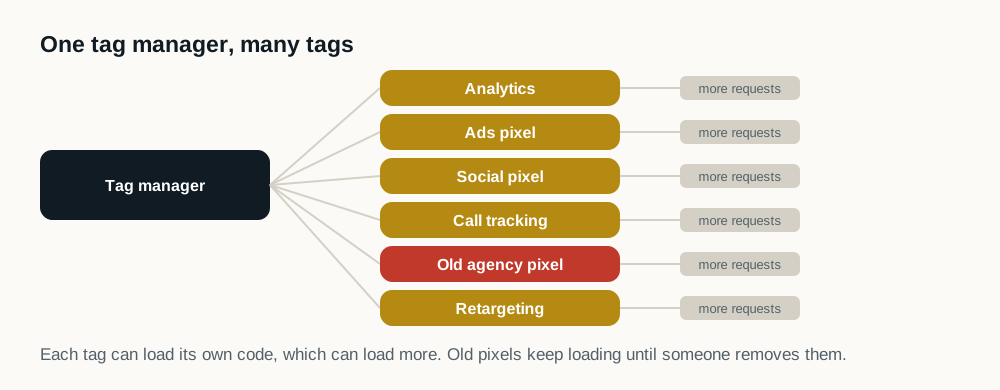
A container or vendor script may request additional libraries, endpoints, pixels and configuration. The visible tag count therefore may not describe the full browser workload.
| Class | Definition | What may be done with it |
|---|---|---|
| Required before render | The page is wrong or non-compliant without it | Leave it alone |
| Required on interaction | Needed only once a shopper does something | Load it on the interaction that needs it |
| Required eventually | Needed during the visit, but not for the first screen | Defer to after the page is usable |
| Not required at all | Nothing references it and no owner claims it | Remove it, once an owner has confirmed |
Build an accountable inventory
- Owner and business purpose
- Pages and events where the tag is required
- Initial and follow-on network requests
- Main-thread execution and long tasks
- Consent and retention requirements
- Removal or scheduling authority
Preserve required measurement
Some events must be captured before a later state; others do not need to compete with primary content. The dealership and its partners should define that distinction before sequencing changes.
Verify data and speed
Use controlled page tests and verify expected events in the relevant analytics systems. Do not claim a performance win if required measurement silently disappears, and do not keep duplicate tags solely because ownership is unclear.
Why do dealership tag stacks grow?
Not through negligence: through ordinary turnover. A campaign launches and a pixel is added. The agency changes and the new one adds its tags while nobody is confident enough to remove the old ones. A vendor is trialled and never formally canceled. A manufacturer program requires a tag that outlives the program. A few years of that produces a container nobody can fully account for, on a page nobody has audited.
Some of what a dealership finds in there cannot be removed at all: a manufacturer program or a co-op rule can require a specific tag to stay. The compounding problem is that a tag manager is one request that becomes many: the container itself is small, what it loads afterwards is not, and the visible tag count in the interface does not describe what the browser actually fetches and executes.
This is the easiest performance win available to most dealerships, because removing a tag nobody owns has no downside and requires no vendor negotiation.
How do I audit my tag container?
- 01
List everything that fires on page load
Open the container and read it, rather than trusting what the interface claims. Most dealerships are surprised by the length.
- 02
Name an owner for each tag
Anything without an owner is a candidate for removal. Anything whose owner has left is almost certainly one.
- 03
Check for duplicate measurement
Two analytics platforms, or the same pixel installed twice through different routes, is common.
- 04
Classify what is left
Some events genuinely must fire before a later state, and removing them breaks attribution the dealership relies on. Others do not need to compete with the vehicle photographs for the first two seconds of a visit: move what can move; leave consent alone, since it runs early for legal reasons and should never be delayed.
- 05
Verify in the analytics systems themselves
A performance change that silently stops a conversion event from firing is not an improvement. It is discovered at the worst possible moment: during a monthly review, weeks later, by someone who cannot connect it to the change.
Sources and further reading
External sources support the general technical guidance on this page. They do not represent a DealerSpeed Engine performance result.