This guide is part of the dealer website speed resource library.
Why does the usual advice not apply?
Nearly every website speed guide reaches the same step: list the third parties and remove the ones you do not need. It is good advice and it is the first thing to do. It also assumes the reader is allowed to remove them, and a franchised dealership frequently is not.
A manufacturer program can require a specific tag for tracking a certified program, a lead standard, or a compliance disclosure. Co-op advertising money can be conditional on a tracking pixel being present and firing. A legal or accessibility obligation can require a script to load before anything else. In each case the tag is not a choice the dealership made and not one it can unmake.
What is still available when removal is not?
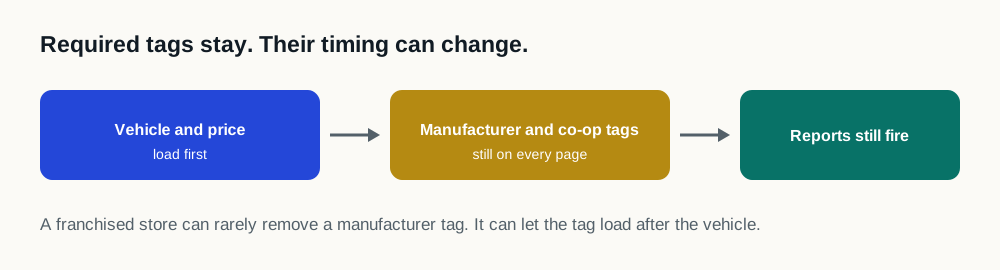
The requirement on a mandated tag is almost always that it is present and that it works. It is rarely that it runs before the shopper can see a price. Those are different obligations, and the gap between them is where the remedy is.
| What the requirement says | What that does not require | What is available |
|---|---|---|
| The tag is installed on the site | That it loads before the page renders | Sequencing it after the content a shopper came for |
| Sessions and conversions are recorded | That recording happens first | Firing it once the page is usable |
| A disclosure is shown to the visitor | That its script blocks the whole page | Loading the disclosure early and the rest of the vendor's payload later |
| The pixel is present for co-op eligibility | A particular position in the loading order | Any order that still results in the pixel firing |
What genuinely does need to run early?
Consent management, and anything a lawyer has told the dealership must appear before other technology runs. That is a short list and it should be written down, because it is the list every optimization decision has to work around.
Everything else, including most manufacturer tracking, most co-op pixels and most reporting tags, needs to fire, not to win the race. The distinction is the same one that governs every third-party script on the site, and it is worth applying to the mandated ones deliberately instead of treating them as untouchable in every respect.
How should a dealership document its mandated tags?
- 01
List what is on the site
Every third-party provider loading on a vehicle detail page, from the network record instead of from memory or from the tag manager interface.
- 02
Mark what is mandated
For each one, is it required by a manufacturer program, a co-op rule, a compliance obligation, or by nobody? Most dealerships find fewer mandated tags than they expected.
- 03
Name the document
For each mandated tag, which agreement requires it. A tag everybody believes is mandatory and nobody can point to a document for is a common and expensive finding.
- 04
Ask what the requirement actually says
Present and firing, or present and first? The answer is usually the former, and it is worth having in writing from the program instead of assumed.
- 05
Sequence what is left
With the genuinely-early list settled, everything else can be ordered around the shopper instead of around the vendor.
What should a dealership not do?
- Do not remove a tag that a program requires in order to improve a score
- Do not defer a consent or compliance script that has to run before other technology
- Do not assume a tag is mandated because it has always been there: check which document says so
- Do not let a vendor tell you their script must run first without saying what breaks if it does not
- Do not treat the mandated list as fixed forever; programs change and old requirements outlive their programs
Sources and further reading
External sources support the general technical guidance on this page. They do not represent a DealerSpeed Engine performance result.