01

What are a dealership's options for a slow website?

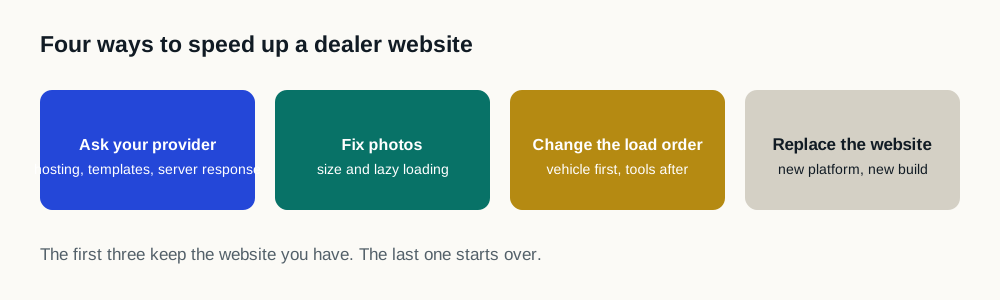
A dealership with a slow website has four options. Replatform to a different website provider. Audit the third-party tag stack and remove what is dead. Hand-optimize the code on the site already in place. Or install a performance layer that changes how the existing site schedules its work. Every proposal a dealership receives is one of these four, or a combination of them.

The four ways to make a dealership website faster
OptionWhat it changesWhat it puts at riskWhat the dealership has to do
ReplatformThe website provider, the design, the URLs and every integration on the siteRankings, the inventory feed, lead routing, and anything built on the old URLsA migration project with a launch date
Tag audit and cleanupWhich third-party tags load at allNothing, where the removed tags are genuinely deadWork in the tag manager, repeated as tags accumulate again
Hand-optimizationThe site's own code, markup and asset handlingWhatever the changes touch, and drift every time a vendor ships an updateDeveloper time on the platform, ongoing
Performance layerWhen and in what order the work already on the page runsNothing the dealership has placed off limits in writing; it fails open to the original siteOne installation, then nothing day to day
02

Which of the four options should a dealership choose?

The four differ less in what they can achieve than in what they cost to attempt and what they put at risk. A replatform touches everything at once, and the tools that made the old site heavy get reinstalled on the new one. A tag audit is free and carries no trade-off, but it can only remove what is already dead. Hand-optimization works, and then it has to be done again the next time a vendor ships an update. A performance layer changes when work runs, not what is on the page, which is why it can be installed and removed without altering the site itself.

That is also the question to put to any vendor, because the category a product belongs to determines what it can cost you. A product that requires a migration is not a speed product; it is a replatforming project with a speed argument attached.

The rest of this page covers the fourth option. It is the one that leaves the dealership's existing website, tools and vendor relationships in place.

A grid comparing the four options a dealership has for a slow website, replatform, tag cleanup, hand-optimization and a performance layer, against five parts of the site: the website provider, the design and URLs, which tags load, the order the work runs in, and what the dealership has to do afterwards. It states what each option touches. It rates nothing, states no result and shows no measurement.
The four options against the parts of a website each one touches. It is a map of scope, not a ranking, and it states no result for any dealership.
03

Why start with the site you already own?

A slow dealer website does not automatically require a rebuild. The visible website can be perfectly usable while its loading sequence is overloaded by scripts, integrations and competing requests.

Speed Engine works with that existing environment. The goal is to make the current investment perform better, not create another migration project. A speed analysis is the way to find out whether that applies to your site. Certain points on the dealership calendar, changeover, a sales event, a Google update, tend to be when that kind of issue actually becomes visible.

Dealerships already looking at automatic tools of this kind will find a checklist for evaluating any of them, written to apply to this product as much as to anyone else's.

04

What makes dealership websites different?

These tools may all be valuable. The performance problem is often not that they exist; it is that they compete for attention at the same time, which is why third-party scripts, not the platform, are usually where the time goes.

  • Inventory and vehicle-detail experiences
  • Chat, trade and digital-retailing tools
  • Advertising, analytics and tag-management scripts
  • Offers, incentives, maps and personalization
  • Compliance and accessibility technology
05

Can the improvement be automatic?

Speed Engine is built for dealerships that do not want another product to manage. Installation is the dealer’s primary operational step. The optimization layer then continues working without daily input.

06

How do you verify the change worked?

A PageSpeed score can be useful, but it is still a laboratory observation. Speed Engine also supports controlled testing with real website traffic so the dealership can see what changed in the live environment.

07

Where does dealership website slowness actually come from?

The instinct is to blame the website platform, and it is usually wrong. Platform vendors ship a reasonable baseline. Two dealerships on the same platform routinely perform very differently, and the difference is what each dealership installed on top. The part that genuinely is the platform's is how quickly the server responds at all, and it is worth measuring separately before the argument starts.

That is a more useful diagnosis than it sounds, because it means the fix does not require a migration. Changing when work runs is available to any dealership on any platform, and it can be reversed.

08

What should a dealership do first?

  1. 01

    Measure the pages that matter

    Homepage, a new-inventory search page, a used-inventory search page and at least two vehicle detail pages, on mobile. Vehicle detail pages carry the most weight and sit closest to a lead.

  2. 02

    Read field data first

    If Google has enough real-user data for your site, that is what shoppers actually experienced. The laboratory score is a controlled simulation answering a different question.

  3. 03

    Inventory the third parties

    List every provider loading on those pages and how much main-thread time each consumed. The top three usually explain most of the problem.

  4. 04

    Remove what is dead

    Tags for ended campaigns and vendors no longer under contract. This is free and it is the only step with no trade-off.

  5. 05

    Sequence what remains

    Decide what must run before render, what must be ready on interaction, and what simply needs to fire eventually.

  6. 06

    Verify nothing broke

    Exercise inventory search, the gallery, forms, chat, trade and retailing. Performance numbers will not tell you a form stopped submitting.

  7. 07

    Measure again after four weeks

    Field data uses a rolling 28-day window, so a real-user result takes about a month to stabilize.

09

What should a dealership avoid?

  • Do not judge the site from one homepage test on one device at one moment
  • Do not average laboratory and field numbers into a single figure
  • Do not defer a script other scripts depend on without mapping the dependency
  • Do not remove a tool that produces leads to win a score
  • Do not accept a vendor's percentage improvement quoted before they measured your site
  • Do not treat a redesign as a performance strategy: the tools come with you

Sources and further reading

External sources support the general technical guidance on this page. They do not represent a DealerSpeed Engine performance result.