Speed guides for each platform
- Dealer.com website speed: where vehicle pages lose time, and what to ask the provider.
- DealerOn website speed: leftover tags after a platform move.
- Dealer Inspire website speed: large banners, video and doubled-up tools.
What your provider controls, and what you do
| Part of the page | Usually controlled by |
|---|---|
| Server response and page templates | Your website provider |
| Photo sizes and how the gallery loads | Your website provider, with your photo vendor |
| Chat, trade-in, payment and review tools | The dealership and its vendors |
| Tracking and ad tags | The dealership and its agencies |
Should you switch providers for speed?
Not as a first step. The tools you added come with you to a new provider, so the pile-up comes back, and a switch puts your inventory feed and search rankings through a migration. Two stores on the same platform can have very different speed because of what each added on top.
How to compare platforms
- Test live dealer websites on each platform, not the provider's demo site. A demo carries none of the tools a real store adds.
- Test several stores on the same platform, so one store's choices don't decide the result.
- Compare the same page types, on mobile: a vehicle page against a vehicle page, not a homepage against a homepage.
- Use Google's real-visitor data where the site has it, and the lab score only to see what's slowing the page.
What to ask your website provider
- Are photos served at the size they're shown on a phone?
- Is the first vehicle photo loaded right away, and the rest of the gallery as shoppers swipe?
- How fast does the server respond on inventory and vehicle pages?
- Can tools we add load after the page, instead of alongside it?
Speed up the website you have
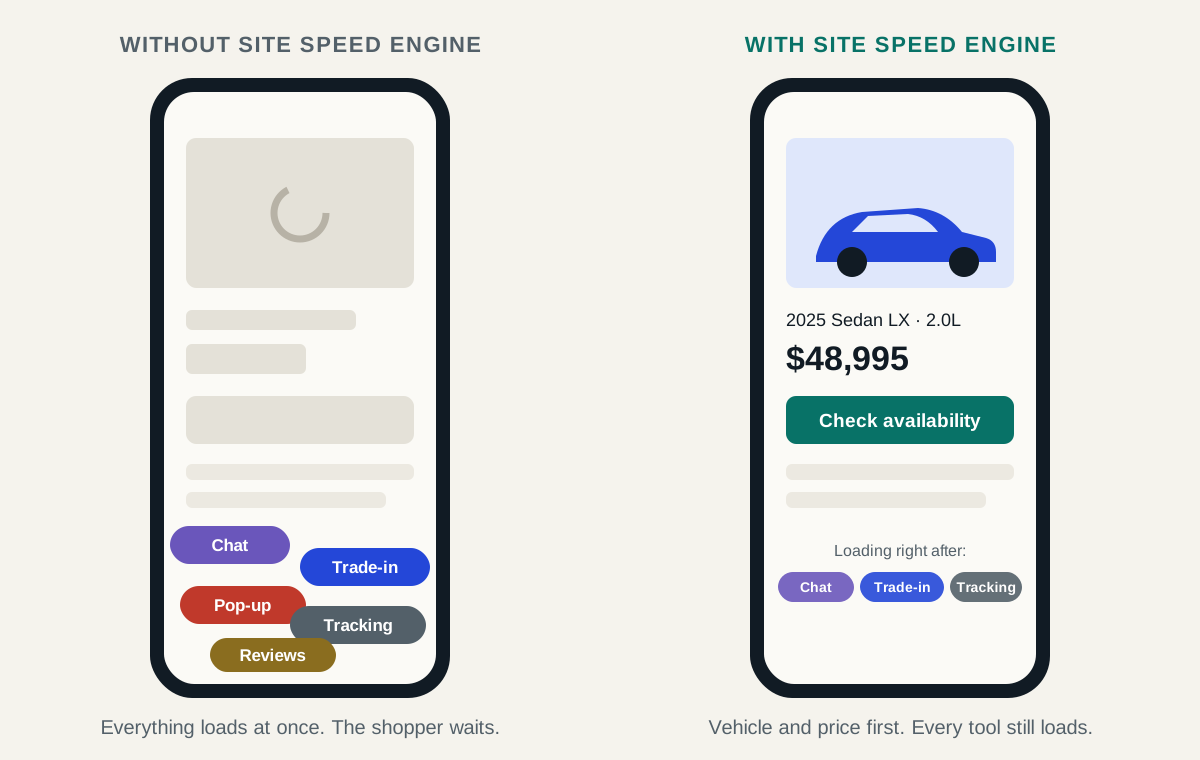
Site Speed Engine works on top of your current website, whatever platform it's on. The vehicle and price load first, your tools right after, and nothing about your provider, design or inventory feed changes.