Stores that moved to DealerOn
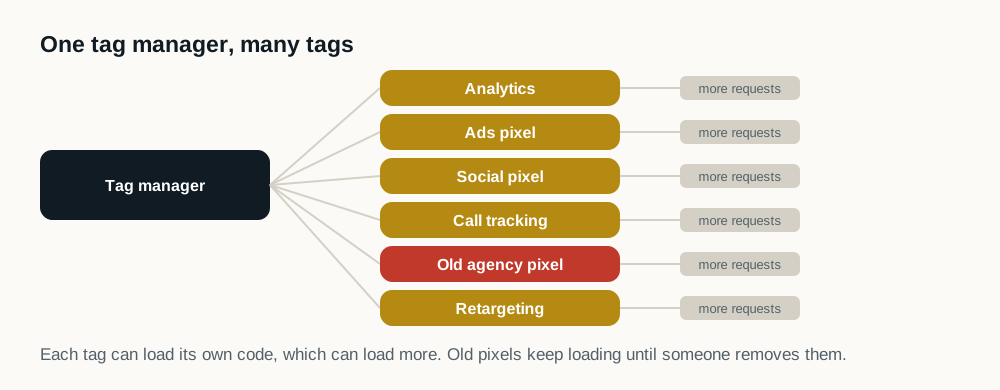
A store that switched platforms often brings its old conversion tags, chat and retargeting pixels with it. They keep loading on the new site long after anyone remembers adding them.
Leftover tags after a move
Test a DealerOn vehicle page and an inventory search page on mobile with the free speed test, then compare the outside code it lists with the tools the store actually uses today. Anything nobody can name is a candidate for the tag audit.
What to ask DealerOn
- Which tags on our pages came over from our previous platform or agency, and are they still needed?
- How fast does the server answer on inventory and vehicle pages?
- Are vehicle photos resized for phones, and does the gallery load as the shopper swipes?
- Can specials banners hold their space while they load?
Inventory search pages and slow filters
On a DealerOn inventory search page, shoppers tap filters for make, model, price and body style. If the page rebuilds the whole vehicle list on every tap while chat and tracking are still starting, the tap feels ignored. That is what Google's Interaction to Next Paint measures, and it is the measure dealer sites fail second most often.
Test it on a phone: open the inventory page from an ad, tap three filters quickly, and watch whether the list answers each tap right away. Ask DealerOn whether filters update only the vehicles that changed, and let the add-on tools load after the list is ready.
Specials banners that push the page
Monthly specials, incentive ribbons and event banners are often added to DealerOn pages by the store or the manufacturer program. When one arrives after the page has drawn, everything below it drops down, sometimes just as the shopper taps a button. Google counts that as layout shift, the measure dealership sites fail most.
Ask for each banner slot to hold its height from the start, even on months with no offer, or to float over the page instead of pushing it.
Keeping DealerOn, loading the car first
Site Speed Engine sits on top of the DealerOn site: every tag and tool stays, and each one waits until the vehicle, the price and the lead forms are on screen. It works the day it's turned on.